Best Gaming Monitor Under $200 in 2026: 7 Budget Picks We Actually Tested (Including a Hidden Gem)
For most gamers in 2026, the best monitor under $200 is still a 24-inch 1080p panel with 144Hz to 180Hz, adaptive sync, and motion handling that holds up outside the spec sheet. In this price range, a clean IPS or a well-tuned VA usually beats flashy HDR labels and oversized screens.
If every cheap gaming monitor starts to look the same after the fifth product page, you are not imagining it. We narrowed this list using hands-on review notes and measurement-heavy testing, then filtered for the traits that actually change how games feel once you sit down and play. You will leave with a clear shortlist of options for the best budget gaming monitor, the tradeoffs that matter, and the one hidden gem that deserves more attention.
What Actually Matters Under $200
At this price, the smartest buyers ignore the marketing fluff and focus on five things: refresh rate, response behavior, panel type, adaptive sync, and basic ergonomics. RTINGS, which said on May 14, 2026 that it had bought and tested more than 390 monitors, keeps coming back to the same budget priorities as Tom’s Hardware and Wirecutter: fast response time, low input lag, VRR support, and a panel that does not fall apart in motion.
That is why 24-inch 1080p still dominates the value end of gaming monitors. RTINGS notes that 1440p pushes 78% more pixels than 1080p, which is great for sharpness but harder on your GPU. Wirecutter and RTINGS also land on the same practical rule: 1080p is most comfortable around 24 inches, while 27-inch 1080p starts to look softer. If you mainly play shooters on midrange hardware, 1080p at 144Hz to 180Hz is still the cleanest budget answer.
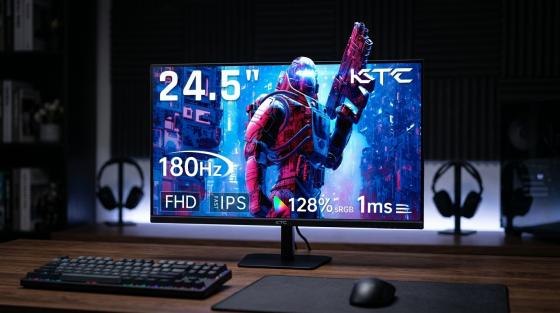
A final point: 180Hz is worth noticing, but not worshipping. Moving from 144Hz to 180Hz gives you 25% more refresh headroom, which can improve motion clarity and input feel, but only if the monitor’s overdrive and sync behavior are decent. A bad 180Hz monitor is still worse than a good 144Hz one.
The 7 Budget Picks Worth Your Time
The list below stays focused on real buying scenarios: competitive play, mixed use, console support, larger screen preference, and one sale-hunt 1440p outlier. The goal is not to reward the biggest number on the box. It is to match the monitor to the way budget gamers actually play.
| Monitor | Best for | Why it stands out | Main catch |
| LG 24GS65F-B | Best overall | 24-inch IPS, 1080p, 180Hz, VRR, strong stand | Weak HDR |
| KOORUI GN02 | Hidden gem for speed | 27-inch 1080p, 240Hz, low cost | Soft image, limited stand |
| AOC 24G2 / 24G2U | Best proven IPS value | 24-inch IPS, 144Hz, VRR, balanced all-rounder | Older platform |
| Acer Nitro QG241Y | Best for PC and console mix | 1080p high refresh with HDMI 2.0 support | Entry-level HDR only |
| AOC G2490VX | Best cheap VA contrast | 23.8-inch VA, 144Hz, FreeSync Premium | Higher smear risk |
| AOC 27G2S | Best 27-inch budget pick | Bigger screen, 165Hz, gaming-first focus | 1080p looks softer at 27 inches |
| AOC Q27G40XMN | Best sale-priced 1440p step-up | 27-inch 1440p, 180Hz, Mini LED | Only works if found under $200, plus VA smearing |
LG 24GS65F-B: Best Overall
This is the safest answer for most people. RTINGS places the LG 24GS65F-B at the top of the under-$200 gaming stack because it pairs a 24-inch 1080p IPS panel with 180Hz, VRR support, and cleaner motion than many cheaper VA alternatives. LG’s own specs add practical extras that matter more than they sound on paper: height, tilt, and pivot adjustment, plus both DisplayPort 1.4 and HDMI 2.0.
The tradeoff is picture drama, not gaming quality. Contrast is only typical IPS territory, and HDR10 support is more about signal compatibility than real HDR impact. If you mostly play ranked shooters, live in Discord, and want the least risky buy, this is the one.
KOORUI GN02: Hidden Gem for Budget Esports
The KOORUI GN02 is the hidden gem because it does the one thing most cheap monitors fail to do: it gets genuinely fast without becoming unusable elsewhere. GamesRadar’s April 23, 2026 hands-on testing called it a strong first stop for shoppers well under $200, highlighting its 27-inch 1080p VA panel, 240Hz refresh rate, and surprisingly respectable performance in games like Overwatch 2 and Halo Infinite.
You do pay for that price with compromises. The stand lacks height adjustment, the extras are thin, and 27-inch 1080p is visibly softer than 24-inch 1080p if you sit close. But if your priority is cheap speed and your PC can actually feed high frame rates, it earns a real spot on the shortlist.
AOC 24G2 / 24G2U: The Proven IPS Value Pick
The AOC 24G2 has been around long enough that some buyers overlook it, but the formula still works. GamesRadar still calls it the best 1080p gaming monitor for shoppers sticking to a $200 budget, and the reasons are straightforward: 24 inches, IPS, 144Hz, VRR, and solid enough color performance that it does not feel like a one-trick esports panel.
This is the monitor for buyers who want a balanced screen, not just the highest refresh number they can afford. If your system is closer to an RTX 4060-class setup than a flagship build, and you play a mix of shooters, action games, and everyday desktop work, the 24G2 remains one of the cleanest value plays.
Acer Nitro QG241Y: Best for PC and Console Crossover Use
The Acer Nitro QG241Y is the practical choice for gamers who split time between a PC and a current console. In the research notes, it stands out for including an HDMI 2.0 port that can handle 1080p at 120Hz for console play, plus HDR10 support. That makes setup simpler if you want one monitor for a PS5, Xbox Series X, and a gaming PC without adapter guesswork.

Treat the HDR badge conservatively. Under $200, HDR almost never delivers the brightness control or local dimming needed for a dramatic upgrade. What matters more here is that the Acer checks the right real-world boxes for smooth play and broad compatibility.
AOC G2490VX: Best if You Want Deeper Contrast on a Budget
AOC’s official product page gives the G2490VX a simple, honest shape: 23.8 inches, 1080p, 144Hz, FreeSync Premium, and a VA panel with much stronger native contrast than typical IPS options. If you play in a dim room, or you want darker single-player games to look less washed out, that alone can make it more appealing than some brighter-looking spec sheets.
The caution is motion behavior. Newegg’s 2026 ghosting guide and RTINGS’ panel advice both point to the same problem: VA panels are more prone to black smear and dark trailing, especially in fast scenes. I would take the G2490VX over a bargain TN panel for mixed use, but I would still prefer a good IPS panel for serious competitive shooters.
AOC 27G2S: Best for Buyers Who Just Want a Bigger Screen
Some buyers simply want more screen area and do not care that 27-inch 1080p is not the sharpest choice. That is where the AOC 27G2S makes sense. It gives you a larger panel and 165Hz performance without pushing you into a more expensive 1440p tier.
The compromise is exactly what the budget 1080p-versus-1440p guidance warns about. RTINGS, Wirecutter, and even mainstream budget roundups all point in the same direction: 1080p looks best at 24 inches, and stretching it to 27 inches reduces pixel density enough that text and fine detail look softer. If you sit farther back and mainly want a bigger image for racing, sports, or couch-adjacent play, it still works.

AOC Q27G40XMN: Best Sale-Hunt 1440p Upgrade
This is the outlier, and the one worth watching if you want to bend the usual budget rules. RTINGS says the AOC Q27G40XMN often drops under $200 and brings a rare combination for the money: 27-inch 1440p, 180Hz, Mini LED backlighting, local dimming, and VRR. In picture quality terms, that is far above what the usual sub-$200 field delivers.
The downside is important. It is still a VA panel, and RTINGS specifically notes smearing behind fast-moving objects. That means it is a much better fit for mixed use, story-driven games, and buyers who want better blacks and HDR punch than for someone grinding fast competitive shooters every night. If you can find it below the line, it is the most interesting stretch-style buy here.
1080p or 1440p on a Budget?
For pure value, 1080p still wins more often than people want to admit. RTINGS says 1440p is the better overall resolution in most cases, and that is true for sharpness, workspace, and general image quality. But it also points out that 1440p requires far more rendering power, and that is the part budget buyers often underestimate. A monitor is only half the experience; your GPU has to keep up.
That is why 24-inch 1080p at 144Hz to 180Hz remains the sweet spot for mainstream gaming PCs. Wirecutter frames 24-inch to 27-inch 16:9 as the core size range, but once price is capped at $200, 24-inch 1080p usually gets you the best balance of sharpness, speed, and motion handling. It is also easier to feed with affordable hardware.
The exception is a sale-priced 1440p panel that does not give up too much elsewhere, like the AOC Q27G40XMN. If you go that route and your frame rate dips, RTINGS says you will usually get better results by letting the PC upscale to the panel’s native resolution with tools like NVIDIA Image Scaling or AMD Radeon Super Resolution rather than just forcing a plain 1080p output to a 1440p screen.
The Specs Most Buyers Misread
The first trap is the advertised response time. A box that says “1ms” does not tell you how the panel behaves across different refresh rates, darker transitions, or VRR use. Blur Busters explains why this matters: with variable refresh, overdrive behavior can change, and a transition marketed as 1ms can still take more than 4ms in practice depending on how it was measured. That is also why turning overdrive to its fastest mode can create bright halos or inverse ghosting instead of cleaner motion.
The second trap is assuming blur and ghosting are the same thing. They are not. Newegg’s 2026 explainer separates them clearly: motion blur is the smear you perceive as frames are held on screen, while ghosting is a hardware artifact caused by slower pixel transitions. Higher refresh rates help blur. Better panel behavior and better overdrive tuning help ghosting. Under $200, IPS is usually the safest all-around choice, while VA gives you deeper blacks but more risk in dark transitions.
The third trap is treating adaptive sync as a box-check feature. It matters, but not every implementation is equally good. Blur Busters notes that overdrive can behave very differently with VRR engaged, and many FreeSync-class monitors do not have truly strong variable overdrive. In plain English, that means two monitors with similar headline specs can look very different once your frame rate moves up and down in a real game.
Practical Next Steps
If you want the shortest version, buy a 24-inch 1080p IPS monitor with 144Hz to 180Hz unless you have a very specific reason not to. The LG 24GS65F-B is the safest overall pick, the KOORUI GN02 is the hidden gem if raw speed matters most, and the AOC Q27G40XMN is the one 1440p sale watch worth stalking.
1. If you play mostly competitive games, choose the LG 24GS65F-B, KOORUI GN02, or AOC 24G2.
2. If you want darker blacks for mixed use and can tolerate some smear, look at the AOC G2490VX or the sale-priced AOC Q27G40XMN.
3. After setup, go into Windows Display Settings and Advanced Display to make sure the monitor is actually running at its full refresh rate, then test a middle overdrive setting with VRR enabled instead of assuming the fastest mode is best.