
How to Optimize Your PC for Gaming and Online Security at the Same Time
In the U.S., finding the perfect match for gaming involves more than just skill. It’s about achieving smooth frame rates, consistent ping, and flawless gameplay when it counts. This guide aims to optimize your PC for both gaming and security, ensuring you don’t have to choose one over the other.
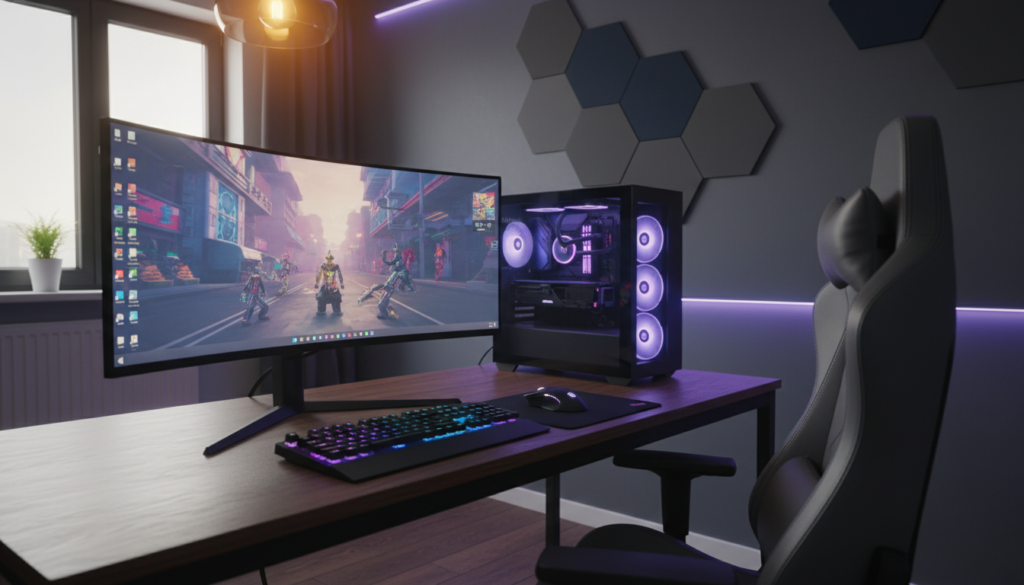
However, the challenge is real. Some security apps can slow down your system, while network tools may introduce delays. Even overlays designed to help can interfere with drivers or anti-cheat software. Therefore, online security for gamers must be carefully measured, not guessed.
We’ll use VPNmentor as a benchmark for practical VPN and privacy standards. This approach ensures we focus on performance without compromising your network. You’ll discover how to achieve a low-latency gaming setup without sacrificing security. Plus, we’ll show you how to maintain secure browsing for gamers with ease.
By the end, you’ll have a comprehensive checklist. It will cover updates and drivers, in-game tuning, and background task reduction. You’ll also learn about power and thermal control, as well as smart storage or RAM upgrades. On the security front, we’ll introduce a lean layer that supports gaming PC security. This includes VPNmentor-aligned basics like avoiding DNS leaks, limiting tracking, and staying safe on public Wi-Fi.
“Good” gaming isn’t just about high FPS. It’s about stable frame times, consistent ping, minimal packet loss, and privacy checks you can verify quickly. This article is designed to help you achieve that balance for online security in gaming.
PC Gaming Performance Optimization for Higher FPS and Lower Latency
Optimizing gaming performance begins with a solid foundation: clean drivers, consistent frame rates, and minimal background distractions. This setup ensures smoother gameplay, higher FPS, and reduced input lag during critical moments.
Update GPU drivers, chipset drivers, and Windows for stability and performance
Begin by updating your NVIDIA or AMD drivers to the latest versions. These updates often resolve crashes and enhance game performance. Additionally, ensure your Intel chipset drivers are current to maintain PCIe stability and power management under heavy loads.
For Windows 11, prioritize regular updates over preview builds on your main gaming rig. Optional updates can be beneficial, but stability is more crucial than the latest features.
Optimize in-game settings and resolution for consistent frame times
Focus on maintaining consistent frame pacing rather than seeking peak performance. Set your target frame rate based on your monitor’s capabilities, leaving some headroom to prevent GPU spikes and stuttering.
Start by reducing high-impact settings such as resolution scaling, shadows, and ray tracing. Use the game’s benchmark tool to measure improvements in FPS. Adjust settings incrementally to identify the most impactful changes.
Reduce background processes and startup apps to free CPU and RAM
Streamline your system by disabling unnecessary startup apps. Tools like updaters and sync software can consume CPU resources, causing stuttering during intense gaming moments.
Ensure your security software is running efficiently but avoid redundant scans. If necessary, create specific exclusions for game folders to prevent micro-stuttering without disabling protection entirely.
Enable Game Mode, tune power plans, and manage thermals to prevent throttling
Enable Windows Game Mode to minimize background interruptions and optimize resource allocation. Choose a power plan that prevents downclocking during gaming, especially on laptops.
Thermal management is critical for maintaining performance. Regularly clean dust filters, verify fan curves, and monitor CPU and GPU temperatures to prevent performance throttling during extended gaming sessions.
Storage and memory upgrades that matter most for gaming load times
Upgrading to an SSD can significantly reduce load times and improve asset streaming. NVMe drives are particularly beneficial in open-world games that require rapid texture and geometry loading.
Memory upgrades should prioritize sufficient capacity for games and chat applications. Fine-tuning RAM speed can offer additional benefits, but ensure stability after making changes to avoid crashes.
VPNmentor
VPNmentor turns online security into gamer-friendly choices, ensuring protection doesn’t hinder performance. The aim is straightforward: to secure logins, browsing, and competitive matches.
VPNmentor focuses on common threats like account takeovers and phishing links in game chat or Discord. It also addresses risks from public Wi-Fi and DDoS attacks in high-stakes lobbies. This highlights the importance of a gaming VPN, even with good antivirus.
What VPNmentor recommends for secure gaming and safer browsing
Begin with a VPN that complements your gaming style. Use it for logins, downloads, and when away from home. Lock down accounts on platforms like Steam and Epic Games with MFA or passkeys.
For everyday browsing, keep your browser clean and updated. Limit add-ons to avoid slowing down your system. A few trusted anti-tracking tools can help without compromising speed.
VPN features to prioritize: low-latency servers, WireGuard, split tunneling, kill switch
Server quality and protocol choice are critical for low latency. WireGuard VPNs are ideal for gaming due to their speed and efficiency.
Choose a VPN with split tunneling to protect your game while keeping your browser and voice chat secure. Ensure your VPN kill switch is on to prevent IP leaks if the connection drops.
How to use a VPN without sacrificing ping: server selection and routing tips
Opt for VPN servers near you or the game’s server region for the best performance. Test different nearby servers, as congestion can vary by time of day.
Avoid extra features that increase latency. Double routing and heavy obfuscation can significantly raise ping and jitter, impacting fast-paced games.
Privacy essentials beyond a VPN: DNS leak protection and tracker blocking
Enable DNS leak protection to prevent DNS requests from revealing your browsing habits. This is crucial on shared networks where visibility is high.
Combine DNS leak protection with tracker blocking and strict account hygiene. Unique passwords, a password manager, and MFA are more effective than any app setting in preventing takeovers.
When a VPN helps (DDoS mitigation, public Wi-Fi) vs. when it may not (certain ranked servers)
A VPN can mask your IP and reduce risks on public Wi-Fi. It’s also useful for safer access to accounts and purchases when traveling.
However, some ranked modes and anti-cheat systems may be sensitive to VPN usage. Test carefully, adhere to terms of service, and use split tunneling to protect logins without affecting match traffic.
Online Security Hardening Without Hurting Gaming Performance
Lean protection ensures your gaming experience remains smooth. For Windows security, keep Microsoft Defender active and schedule full scans for when you’re not gaming. Use a single, targeted exclusion only when a game causes slowdowns. This strategy minimizes antivirus impact while protecting your entire game library.
Smart firewall settings are crucial for gaming. Allow Windows to create rules for games that need access, and only permit recognized connections. If router adjustments are necessary, use UPnP only when essential, and prefer manual rules over automatic ones.

Most security breaches begin with phishing, not hacking. Enable two-factor authentication for gaming accounts on platforms like Steam, Epic Games, and Xbox. Also, protect the email associated with these accounts. Use a password manager and unique passwords for each account. Be cautious with “Sign in with” prompts, as they can hide OAuth token theft.
Keeping downloads safe reduces both risks and background loads. Always use official launchers and verify the site’s address before logging in. Avoid cracked games and shady trainers. Additionally, update your browser and remove unused extensions for enhanced phishing protection.
Your home network can be secure without slowing down your games. Update your router’s firmware, use WPA3 (or WPA2-AES), and disable outdated modes like WEP. Create a separate guest Wi-Fi for visitors and smart devices. Tighten DNS security by using trusted resolvers and blocking suspicious domains where your router allows it.
When using public Wi-Fi, avoid logging into critical accounts unless necessary. Confirm the network name and watch out for look-alike hotspots. Keep sharing features disabled. If you must log in, use a trusted VPN and keep sessions brief.
Product Review Angle: FreeVPNmentor and freevpnmentor.com for Gamers in the United States
FreeVPNmentor and freevpnmentor.com are ideal for U.S. gamers seeking both speed and security. A thorough VPNmentor product review should clearly outline the limitations of “free” services. For gamers, the aim is to maintain consistent ping times while providing basic protection.
When evaluating free VPNs, focus on gamer-centric criteria. Look for detailed information on latency, server locations in the U.S., and the use of protocols like WireGuard. Guides should also explain the importance of split tunneling, the role of a kill switch, and the risks of DNS leaks.
Reliable VPN comparisons for U.S. gamers must detail their testing methods. The best reviews will discuss ping and speed tests, server selection strategies, and real-world performance on popular platforms. Privacy sections should be straightforward, covering logging policies, DNS leak protection, WebRTC risks, and app permissions.
It’s crucial to approach “free” VPNs with caution, especially for competitive gamers. Free services often lead to congestion, fewer U.S. server options, and missing security features. By combining gaming privacy tips with performance optimization, you can create a fast, stable, and secure gaming environment without sacrificing speed.