
Optimizing CPU and GPU Balance for Smooth Multiplayer Gaming
Stable performance in multiplayer games is critically important for both competitive and casual gaming. Frequent FPS drops, stutters, or input lag can negate even the best player skills. In most cases, the cause of these issues lies not in a single component, but in an improper balance between the processor and the graphics card. Understanding how the CPU and GPU interact with each other allows for effective system optimization without unnecessary expenses. It is the balance of hardware that becomes the key to smooth and predictable online gaming.
The Importance of CPU and GPU Balance in Multiplayer Games
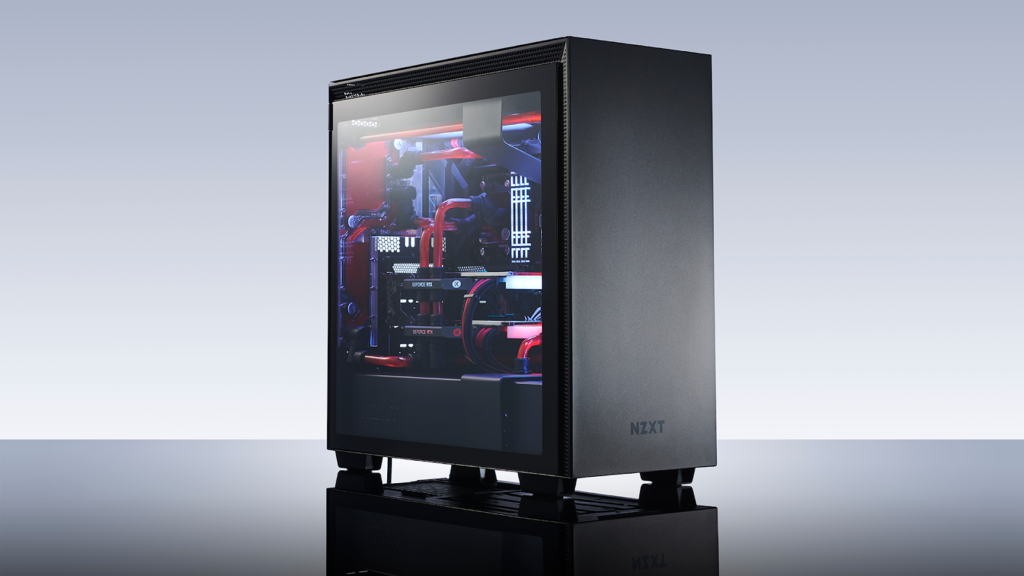
In modern multiplayer games, system performance is determined not only by the power of the graphics card or the processor individually, but by their balanced combination. Even the most powerful GPU cannot deliver stable FPS if the processor fails to keep up with game logic, network events, and the actions of other players. That is why achieving an optimal balance between the CPU and GPU is essential for a comfortable online gaming experience.
Multiplayer projects, unlike single-player games, create additional system load due to server synchronization and complex algorithms for player interaction and physics. Analytical materials and technical reviews regularly published by egw often emphasize that microstutters or unstable framerates in online games are rarely caused by a single component, the issue usually stems from imbalance.
Understanding the role of each system component helps not only to properly configure the game, but also to avoid unnecessary upgrade costs. Instead of blindly chasing top-tier specifications, it is more effective to focus on harmonious hardware interaction.
The Role of the Processor in Online Games
In multiplayer games, the processor performs far more tasks than many gamers realize. The CPU is responsible for handling game logic, artificial intelligence, physics calculations, and network operations. Every player movement, shot, or ability use is first processed by the CPU before being rendered on the screen.
The role of the CPU becomes especially critical in competitive titles, where many players are present on the map simultaneously. If the processor cannot handle the workload, FPS drops, input lag, and a “heavy” gameplay feel occur, even when the graphics card is only utilized at 60–70%. In such cases, the system is clearly limited by the CPU.
Clock speed and core count are also important factors. Many modern multiplayer games scale well across 6–8 cores while remaining sensitive to high clock frequencies. Therefore, the balance between core count and clock speed is just as important as overall CPU performance.
The Importance of the Graphics Card for Stable FPS
The graphics card is responsible for rendering visuals, processing textures, shadows, lighting, and post-processing effects. In multiplayer games, the GPU determines how high graphical settings can be pushed without sacrificing smoothness. Screen resolution, level of detail, and monitor refresh rate directly affect GPU load.
However, it is crucial to understand that an overly powerful GPU paired with a weak processor cannot reach its full potential. In such configurations, the graphics card remains underutilized while waiting for the CPU to prepare frame data. This is a typical scenario where players observe low GPU usage but still experience unstable FPS.
For multiplayer games, optimal performance is achieved when the GPU operates close to its maximum capacity without sharp fluctuations. This indicates a well-balanced system where the processor can supply the graphics card with data efficiently.
How to Identify and Fix System Imbalance
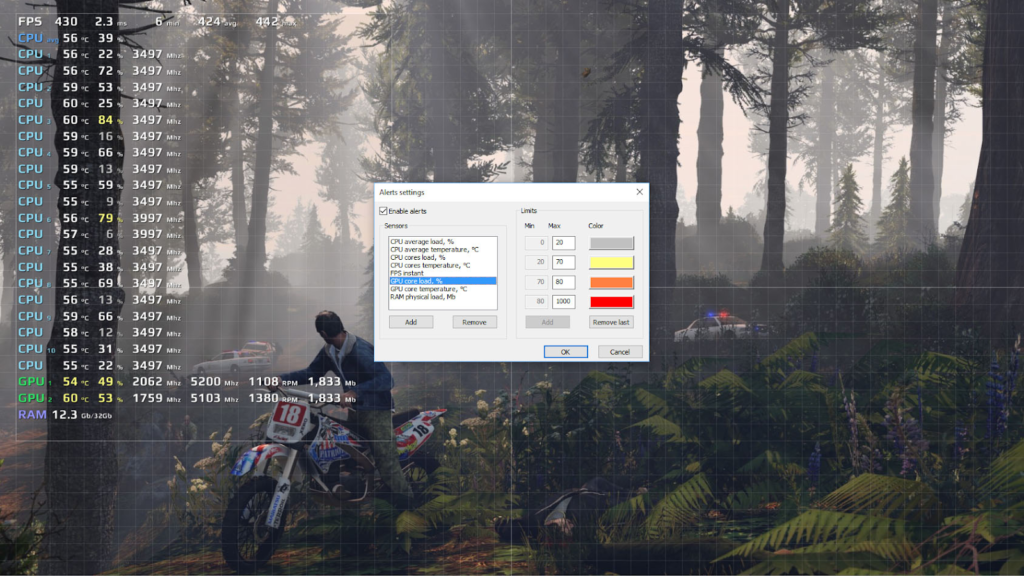
The first step toward optimization is performance monitoring. By using specialized tools, players can track CPU and GPU usage, temperatures, clock speeds, and FPS stability during gameplay. If the processor is consistently loaded at 90–100% while the graphics card remains significantly underutilized, this is a clear sign of a CPU bottleneck. The opposite situation indicates GPU limitations.
One of the simplest ways to resolve imbalance is adjusting graphical settings. Reducing options that heavily load the CPU, such as draw distance, object density, or physics complexity, can significantly improve stability. At the same time, increasing GPU-intensive effects can sometimes help balance overall system load.
System-level optimizations should not be ignored either: up-to-date drivers, proper power settings, disabling background applications, and configuring the game specifically for your hardware. In some cases, even a mild overclock of the processor or memory can result in a noticeable stability boost.
Conclusion
An optimal balance between the CPU and GPU is the foundation of comfortable multiplayer gaming. It is the harmonious interaction of these components that ensures stable FPS, minimal input lag, and predictable gameplay during the most intense moments. Focusing on just one system component rarely delivers the desired result.
Understanding the roles of both the processor and the graphics card enables smarter decisions when it comes to settings, upgrades, and hardware selection. Instead of costly and often unjustified upgrades, significant performance improvements can be achieved through proper optimization.
Ultimately, smooth multiplayer gaming is not about maximum raw power, but about balance. Those who find this balance gain a competitive edge, enjoy smoother gameplay, and get the most satisfaction from online battles.