
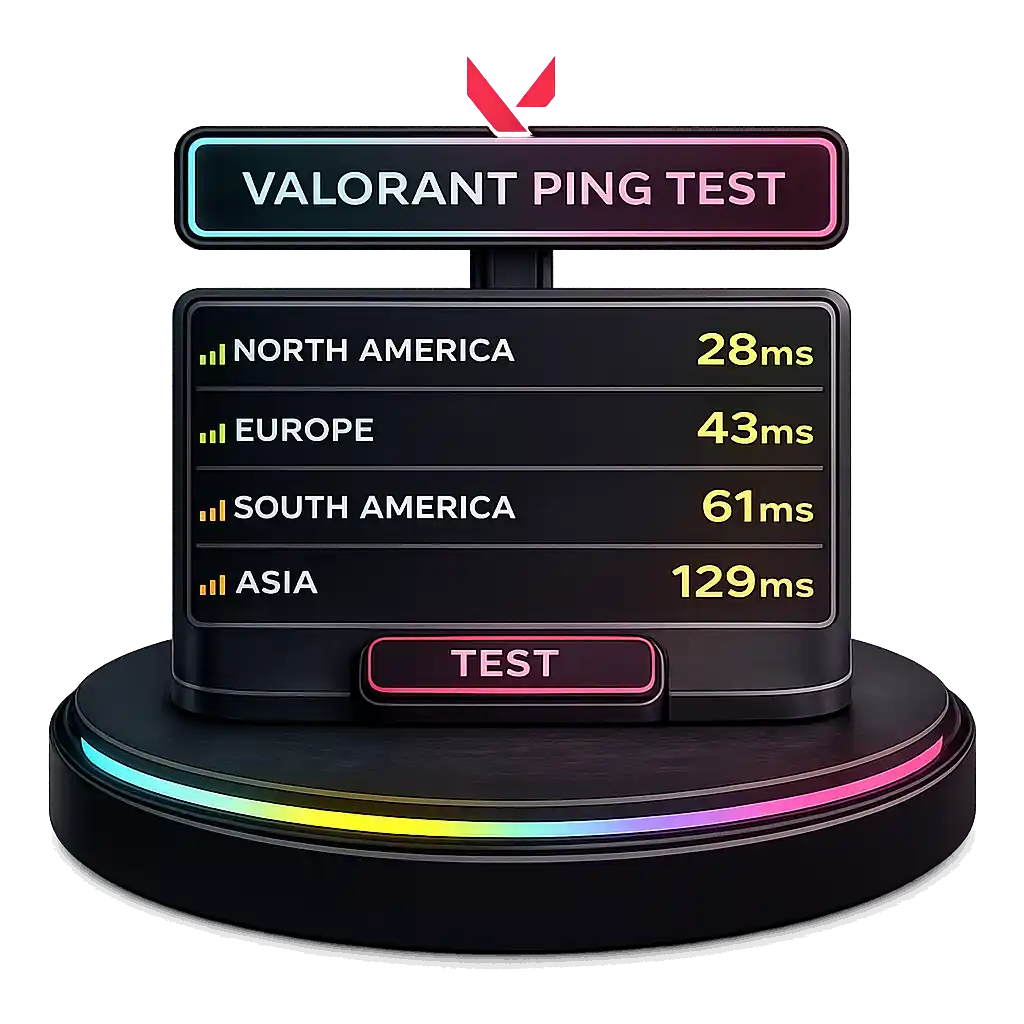
I use this Valorant ping test tool to run a quick latency test across different server regions in the tactical 5v5 character based FPS game by Riot Games. It measures network latency and helps me pick the lowest ping server for better gaming performance.
Under 20ms feels excellent, 20 to 50ms stays smooth, 50 to 100ms feels playable, and above 100ms can cause lag. Since Valorant runs on 128 tick servers, low ping makes server selection even more important. For more system performance tools, you can explore our full collection on the PC Bottleneck Calculator.
How to Reduce High Ping in Valorant
I have seen high ping ruin matches fast. Shots feel delayed. Peeking feels slow. High ping usually comes from poor ISP network routing, congestion, or packet loss. Not just slow internet speed. In a 128 tick FPS game like Valorant, even a 10 to 20ms latency difference can change hit registration. If you want to see how latency affects frame delivery and smoothness, you can also test your system using our FPS Calculator.
Software Method to Fix High Ping
One way I reduce Valorant ping is by using a game accelerator that improves packet routing. It connects me to optimized servers and chooses better network routing paths. This helps create a more stable connection and supports real time ping monitoring for latency reduction.
Steps I follow:
- Download and install the GearUP game accelerator.
- Select Valorant from the game list.
- Let it auto select optimized servers based on my location.
- Start the game and monitor real time ping before matchmaking.
This setup helps fix high ping by improving routing, not just speed.
Hardware Option for Stable Connection
If I want a long term fix, I use a gaming router like the HYPEREV Router. It improves packet routing at the hardware level and supports console gaming too. For PlayStation or Xbox users, this can reduce Valorant ping without installing extra software.
What Is a Good Ping in Valorant?
I’d say a good ping in Valorant means low latency and fast response time. Ping measures network delay in milliseconds ms. For competitive gameplay, I always try to stay below 50ms. Lower ping gives smoother gameplay, better reaction time, and less lag. Since Valorant runs on 128 tick servers, even small delays feel more noticeable.
Ping ranges explained:
- 0 to 20ms – Excellent: Super responsive gaming. Almost no network delay.
- 20 to 50ms – Good: Smooth gameplay. Great for ranked matches.
- 50 to 100ms – Playable: Some delay. Still manageable.
- 100 to 150ms – Poor: Noticeable lag. Shots may feel late.
- 150ms and above – Unplayable: Desync and hit issues can happen.
If I want a real edge in competitive matches, I keep my ping as low as possible.
How to Quickly Fix Valorant Game Lag
Game lag feels different from high ping. High ping is delay. Lag usually comes from packet loss, jitter, or network congestion. Even 1 to 2 percent packet loss can mess up a competitive FPS game like Valorant. Because the game depends on tight server sync, small instability can affect movement and hit registration.
PC Valorant Players
On PC, I fix Valorant lag by using a game booster with smart routing. It bypasses congested network nodes and connects me to an optimized server path. This improves AI routing, reduces game lag, and helps create a stable connection without changing my internet plan.
Steps I follow:
- Install the game booster on my PC.
- Select Valorant from the list.
- Enable smart routing for optimized server access.
- Launch the game and check stability before queueing.
That’s usually enough to smooth things out.
How to Fix Valorant Crashes Caused by Network Instability
I’ve seen Valorant crash even when my PC was fine. If you're recording gameplay or editing match clips, accurate frame timing also matters, you can convert timestamps precisely using our Timecode to Frame Converter.
A lot of times, the real issue is network instability. Packet loss, sudden connection drop, or network fluctuation can break server sync. Even 2 to 5 percent packet loss can cause disconnect behavior in FPS games. Since Valorant uses a server authoritative system, unstable links can trigger forced disconnects.
To fix Valorant crashes, I focus on game optimization through smart routing. The goal is simple. Reduce ping, lower packet loss, and keep a stable connection.
Advantages include:
- Reduces packet loss spikes
- Helps prevent connection drop
- Supports crash prevention through stable routing
- Improves overall stability
Steps I follow:
- Install a smart routing game optimization tool.
- Select Valorant from the dashboard.
- Enable routing optimization.
- Launch the game and monitor connection stability.
That usually keeps crashes away.
What Is Ping in Online Gaming?
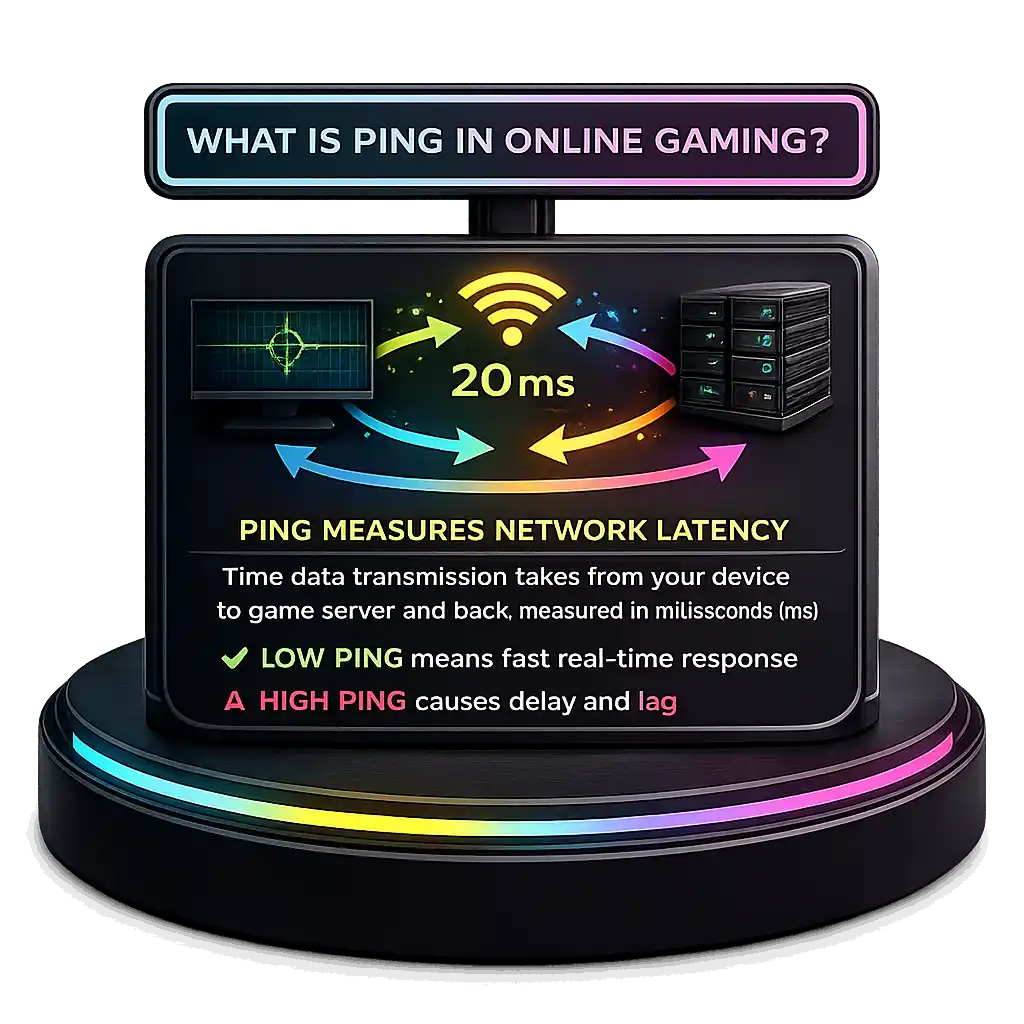
Ping is the pulse of your gaming experience. It measures network latency, which means the time data transmission takes to travel from your device to the game server and back. Cloudflare explains latency as round trip time measured in milliseconds ms. In online gaming, low ping means faster real time communication and better responsiveness. High latency creates delay between your action and what happens on screen. Ping usually works through ICMP to check this round trip speed. And just to be clear, ping measures delay, while lag can also happen from packet loss or jitter, not only high latency.
What Is a Valorant Ping Test Tool?
A Valorant ping test is a tool I use to check server latency before I play. It measures round trip time between my device and different server regions, showing real time ping in milliseconds. This latency measurement helps me see how stable my network connection really is. The Valorant ping test also works as connection diagnostics, so I can spot internet stability issues early. Since Valorant runs on 128 tick servers, even small latency differences affect competitive gameplay. By checking server latency first, I can pick the lowest delay region and avoid problems before matchmaking starts.
The Ultimate Valorant Ping Checker Tool
I use this Valorant ping checker when I want accurate latency measurement before a match. It runs a gaming connection test across different server regions and shows real time ping for each one. That gives me server specific latency instead of random numbers. Generic speed tests mostly check download and upload bandwidth, but online FPS performance depends more on latency, jitter, and packet stability. Because Valorant relies on fast input registration, lower delay really matters. With proper network performance checks, I can choose the best server and prepare properly before queueing.
How to Test Your Valorant Ping
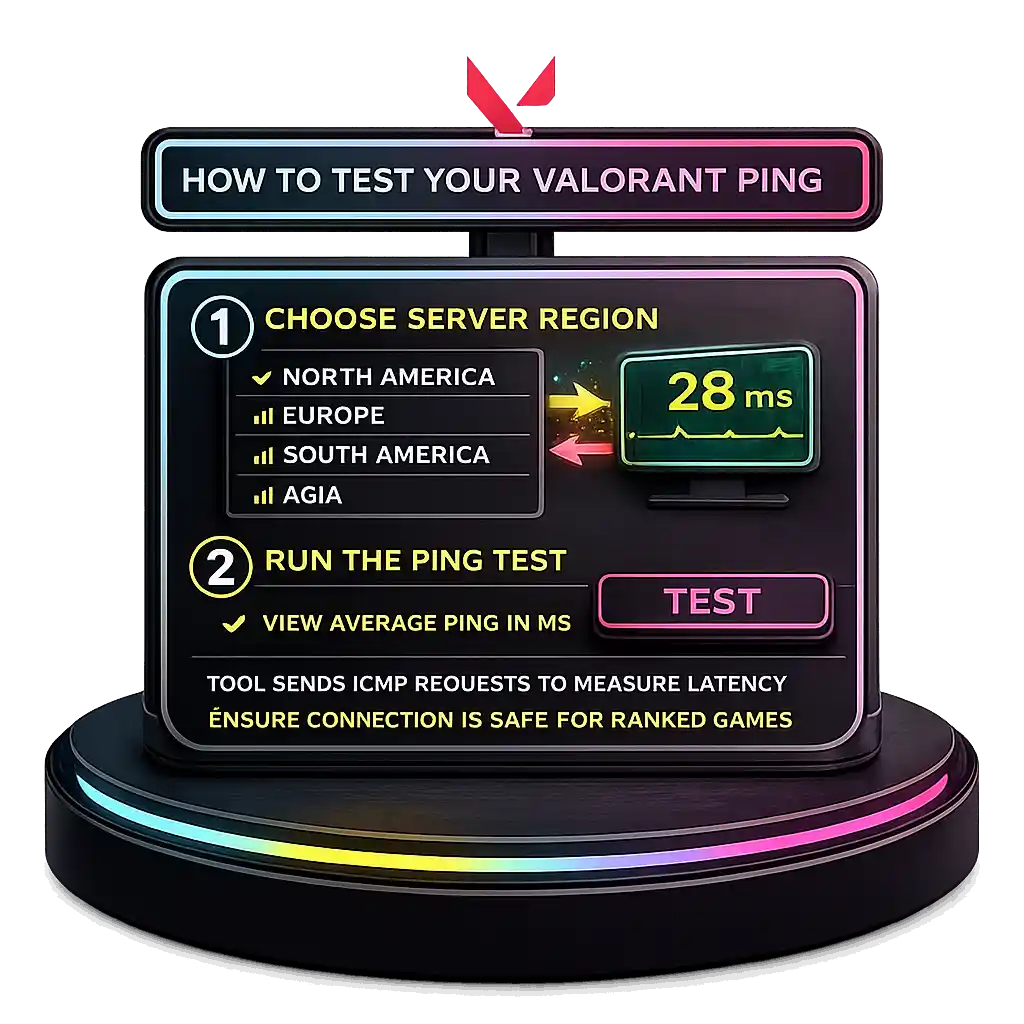
I check Valorant ping in a simple way. I pick my server region, then run the ping test. The tool sends multiple ICMP echo requests to measure latency measurement and calculate the average ping. It shows real time results in milliseconds ms, so I can see my network stability clearly. This average round trip time helps me know if my connection is safe for ranked games before I queue up.
Why Every Millisecond Matters in Valorant
Every millisecond can decide a round in a tactical FPS like Valorant. Low latency improves reaction time, reduces network delay, and makes precise shooting feel instant. High ping adds delay between your click and hit registration, which can cost duels. Riot Games confirmed in its developer blog that Valorant runs on 128 tick servers, meaning updates happen 128 times per second, so low latency becomes critical for accuracy.
Even a 20 to 30 milliseconds ms difference can change peeker fights and ability timing. Visual clarity also matters in gunfights, you can compare sharpness and screen clarity using our Pixel Density Calculator. That small edge can turn into a real competitive advantage.
Proven Ways to Reduce Valorant Ping
If I want to lower Valorant ping, I focus on connection stability first. Small changes can reduce latency fast.
- Use a wired connection with an Ethernet cable because it reduces jitter and avoids Wi Fi interference. Wired setups can lower delay swings by around 5 to 15ms compared to crowded 2.4GHz networks.
- Close background apps using bandwidth since high bandwidth usage creates network congestion and adds delay.
- Update network drivers to fix bugs that may affect packet handling.
- Select the nearest server region because shorter distance usually means lower latency.
- Try a gaming VPN with routing optimization to bypass congested ISP paths.
Valorant runs on 128 tick servers, so stable latency really matters.
Why Is My Valorant Ping So High?
I’ve seen high ping in Valorant happen even with fast internet. The problem is usually not download speed. It is latency, routing, or stability.
- Network congestion can slow data during peak hours.
- Background applications increase bandwidth usage without you noticing.
- Unstable internet creates packet loss and delay spikes.
- Poor ISP routing sends data through longer paths, raising latency.
- Server distance matters because farther servers increase travel time.
- Router configuration issues can cause weak signal or interference.
- Ethernet vs Wi Fi makes a difference since wired is more stable.
High ping often comes from inefficient ISP routing, not slow speed. And since Valorant uses 128 tick servers, even 10 to 20ms spikes can affect accuracy. I usually start by switching to Ethernet and checking my network setup.
Additional Ways to Improve Valorant Ping
If basic fixes do not work, I try a few advanced tweaks. These help improve Valorant ping by cleaning up small network issues that affect stability.
Update Network Drivers
Old drivers can slow your network adapter and cause delay spikes. Updating them supports latency optimization in Windows network settings.
Steps:
- Open Device Manager.
- Click Network Adapter.
- Right click your adapter and choose Update driver.
- Select automatic search and install updates.
Optimize DNS Settings
Changing your DNS server can improve connection stability during server handshakes. It does not directly lower game latency, but it can reduce DNS lookup delay.
DNS Options:
- Google DNS: 8.8.8.8 and 8.8.4.4
- Cloudflare DNS: 1.1.1.1 and 1.0.0.1
Steps:
- Open Control Panel and go to Network settings.
- Select your active connection.
- Open IPv4 properties.
- Enter preferred DNS addresses above.
Then open Command Prompt and run:
ipconfig /flushdns
Since Valorant uses 128 tick servers, stable routing and clean DNS resolution help prevent sudden spikes.
What Ping Range Is Considered Good in Valorant?
According to Riot Games Support Network Troubleshooting guidelines, a stable latency under 35ms is ideal, while anything under 60ms is generally playable for competitive gaming.
- 0 to 35ms – Ideal: Best good ping value for ranked play. Smooth, low latency, strong hit registration.
- 35 to 60ms – Playable: Stable connection for most players. Still competitive.
- 60 to 100ms – Fair: Delay becomes noticeable.
- 100ms and above – Poor: High latency affects accuracy.
Radiant and Immortal players need consistent stability, not just low average ping.
Official Valorant Server Locations by Region
Valorant uses regional servers around the world to keep gameplay stable. According to Riot Games Support, Server Locations documentation, Valorant provides region based servers to minimize round trip latency between players and data centers. The closer you are to a physical server, the lower your round trip time RTT and ping.
Major Valorant server regions include:
- North America: Oregon, California, Texas, Illinois
- Europe: London, Paris, Frankfurt, Istanbul, Stockholm, Warsaw
- Asia Pacific: Mumbai, Singapore, Tokyo, Seoul, Hong Kong, Sydney
- Brazil: São Paulo
- Latin America: Mexico City, Santiago
- Middle East: Dubai
- South Africa: Johannesburg
Valorant often auto selects the nearest server, but choosing the nearest server manually can improve competitive consistency.
How the Valorant Ping Test Tool Works
This real time ping test sends repeated echo requests to AWS servers hosted on Amazon Web Services infrastructure near major Valorant server regions. It measures latency measurement by calculating round trip time RTT and averaging the response time. Results auto refresh every 5 seconds to show updated estimated latency.
How to Reduce Ping in Valorant Effectively
If I want to lower ping and reduce latency, I focus on these quick fixes:
- Use an Ethernet connection because it avoids Wi Fi interference and keeps latency stable.
- Choose the nearest server region since closer distance lowers travel time.
- Enable QoS settings so the router prioritizes gaming traffic over downloads.
- Limit bandwidth management issues by pausing streaming on shared networks.
- Check router configuration to avoid outdated firmware problems.
- Test a gaming VPN because it may improve or worsen ISP routing.
- Upgrade your ISP package if needed to prevent congestion during peak hours. If you're optimizing your full gaming setup, you can also estimate system power usage with our Electricity Cost Calculator.
Small jitter spikes can affect Valorant due to its 128 tick servers.
How to Switch Server Regions in Valorant
If I want to change Valorant server for better stability, I adjust it before queueing.
- Open Valorant and go to the main lobby screen.
- Look at the server selection icon near the Play button.
- Click it to view available server regions and their real time latency.
- Compare the numbers and choose the lowest ping server, ideally under 50ms to reduce input lag and network buffering.
- Confirm and start matchmaking.
Valorant shows in game ping next to each region, which helps me compare quickly. Lower latency improves competitive consistency, but limiting server regions may increase matchmaking time. To understand how your monitor refresh impacts input delay, try our Refresh Rate Test.
The AWS based ping test shows estimated latency with about 5 to 15ms variance. For exact in game ping, I test inside a custom match since live server load can affect round trip time.
Why Is My Ping Low in Speed Tests but High in Valorant?
I see this a lot. A speed test shows low ping, but Valorant shows high ping in game. That happens because speed tests check nearby ISP servers, not the actual game server you connect to.
- ISP routing issues can send game traffic through longer paths.
- Network congestion during peak hours increases delay.
- Packet loss can raise gaming latency even with fast internet.
- Jitter spikes cause unstable response times.
- Server distance increases round trip travel time.
- Router or firewall configuration may interfere with traffic.
Bandwidth vs latency is different. Even 500 Mbps cannot fix unstable routing. Since Valorant uses 128 tick servers, small 10 to 20ms jitter spikes can hurt performance. I usually test server selection, use Ethernet, and check routing stability first.
How to Fix High Ping in Valorant Even with Fast Internet
I’ve seen high ping despite fast internet like 300 to 500 Mbps. Speed does not equal low network latency. Gaming depends more on routing quality than raw bandwidth.
Why it happens:
- Network congestion slows data during busy hours.
- Inefficient ISP routing adds extra network hops.
- Packet loss increases delay and instability.
- Weak router hardware affects traffic handling, and overall system stability can also suffer if your PC power delivery is unstable, you can estimate proper power requirements using our PSU Wattage Calculator.
- ISP peering issues lengthen the path to the game server.
According to Cisco, network latency is mainly affected by congestion, routing path, packet loss, and hardware performance. If you're storing game recordings or running multiple drives, understanding redundancy and speed tradeoffs is important, you can calculate configurations using our RAID Calculator.
How to fix it:
- Use Ethernet vs Wi Fi for stability.
- Restart modem and router.
- Update router firmware.
- Enable QoS configuration for gaming traffic.
- Reduce household bandwidth usage.
- Ask ISP about routing optimization.
- Test different Valorant server regions.
Stable latency matters more than speed in Valorant’s 128 tick system.
Does Server Location Impact Valorant Ping?
Yes, server location directly affects ping. The closer you are to a game server, the lower your round trip time RTT. Greater geographic distance increases latency because data must physically travel farther.
According to Amazon Web Services Global Infrastructure documentation, latency rises as geographic distance grows due to propagation delay in fiber optic routing. Signals travel near 200,000 km per second in fiber, so longer paths increase delay. Even 1,000 km can add about 5 to 10ms. Indirect routing and extra network hops also increase RTT. AWS reduces this by using regional data centers and edge infrastructure worldwide.
What affects latency:
- Geographic distance
- Fiber routing efficiency
- Number of network hops
- Regional data centers
- ISP peering agreements
Choosing the nearest server supports latency optimization and better consistency in Valorant.
Why Is Speed Test Ping Different from In-Game Ping?
I see people confused about this all the time. Speed test ping looks low, but in game ping feels higher. They measure different things.
According to Ookla Speedtest methodology FAQ, speed tests measure latency to the nearest ISP test server, usually inside your provider’s network or a nearby node. They do not measure delay to external game server infrastructure.
Speed Test Ping:
- Connects to closest ISP test server
- Uses optimized routing path
- Very short physical distance
In Game Ping:
- Measures round trip time RTT to regional game servers
- Depends on ISP routing and peering
- Affected by network congestion, packet loss, and jitter
Low speed test ping does not always mean low gaming latency.
How to Resolve ISP Peering Issues with Riot Servers
Sometimes high latency has nothing to do with your home setup. ISP peering problems can increase round trip time RTT even if your bandwidth looks fine.
According to the Cloudflare networking glossary, ISP peering is the network interconnection between different internet providers and data centers that allows traffic exchange. If your ISP has weak peering agreement with Riot servers, traffic may travel through indirect transit networks. Congestion at an internet exchange point IXP can add 20 to 40ms due to routing inefficiency, especially during peak hours.
Symptoms:
- Low speed test ping but high in game latency
- Spikes during evening congestion
- High latency only to specific Riot servers
- Stable bandwidth but unstable RTT
How to fix:
- Ask ISP about routing optimization
- Test different Valorant server regions
- Use Ethernet instead of Wi Fi
- Try alternative routing services
- Consider changing ISP if persistent
Strong peering ensures stable competitive latency in Valorant.
What Ping Do Professional Valorant Players Typically Have?
At the pro level, latency gets very serious. Small delays can change rounds. Professional players compete in extremely low latency environments because reaction time matters in every duel.
According to Riot developer insights, competitive integrity in Valorant depends on low latency servers and equalized regional infrastructure. Riot focuses on keeping server performance fair across regions.
LAN Events:
- Usually sub 20ms latency
- Often 1 to 10ms on controlled esports network conditions
Online Competitive Play:
- Commonly 20 to 35ms latency
- Sub 35ms considered ideal for high level ranked and scrims
At elite levels, even a 10ms gap can affect peeker timing. Riot’s 128 tick system makes stable latency critical.
Ideal Ping for Ranked and Competitive Valorant Matches
Ideal ping depends on how serious the match is. In ranked Valorant, a stable connection matters more than chasing the lowest number. Low latency gaming feels better, but consistency wins games.
Standard Ranked Play Iron to Ascendant:
- Ideal: Below 50ms
- Playable: 50 to 70ms
- Focus on stable connection, not just low average ping
High Elo Competitive Play Immortal to Radiant:
- Ideal: 20 to 35ms
- Advantageous: Sub 25ms
- High elo latency must stay consistent, especially when adjusting graphics settings for performance. If you're lowering render resolution to improve FPS, test changes using our Resolution Scaling Calculator.
Even 10 to 15ms can affect reaction time because Valorant runs on 128 tick servers. Internal memory delay can also impact 1% low FPS, which you can measure using our RAM Latency Calculator. Jitter above 5 to 10ms variance can feel worse than steady 45ms latency. Competitive players often choose stability over faster matchmaking.
Average Valorant Ping by Region (2026 Data)
Here’s a more detailed look at typical average ping values players might see when connecting to major Valorant server regions — actual numbers can vary by ISP, routing, and physical distance from data centers:
| Region | Typical Average Ping (ms) | Recommended ISP Type |
|---|---|---|
| North America (NA) | ~20–40 ms | Broadband with strong routing |
| Europe (EU) | ~15–35 ms | Fiber or high-quality cable |
| Asia Pacific (APAC) | ~30–70 ms | Fiber / low-latency peering |
| South America (SA) | ~50–90 ms | Stable cable / fiber |
| Middle East & MENA | ~40–80 ms | Fiber / optimized routing |
| Oceania (OCE) | ~60–100 ms | High-quality broadband |
| Africa (AF) | ~100–200+ ms | Broadband / limited local servers |
These values are rough averages based on real-time ping tests to official regional servers; your results depend heavily on ISP routing, peering, and proximity to datacenters. In general, closer physical location to the server and quality of network path reduce round-trip time and improve gameplay responsiveness.
👉 Note: Selecting the nearest server region is key to lower ping and stable competitive performance in Valorant.
People Also Ask
How to test ping on Valorant?
You can test ping inside Valorant by checking the server selection menu before queueing. The game shows real time latency in milliseconds next to each server region. You can also enable the in game network stats to see live ping during a match. Using a Valorant ping test tool before ranked helps avoid unstable connections.
Is 40 ping bad for Valorant?
No, 40ms ping is not bad. It is considered good for ranked play. Most players experience smooth gameplay under 50ms. If the connection is stable with low jitter, 40ms feels responsive and competitive.
Is 200ms ping good or bad?
200ms ping is bad for Valorant. That level of network delay causes noticeable lag, delayed hit registration, and slower reaction timing. Competitive play becomes very difficult above 150ms.
Is 28 ms ping good?
Yes, 28ms ping is very good. It falls within ideal latency for competitive matches. At this level, reaction time and shooting feel accurate and smooth.
Is 2ms ping fast?
Yes, 2ms ping is extremely fast. This usually happens on LAN or very close regional servers. It provides near instant response and minimal input delay.
Is 0 ping possible?
No, 0ms ping is not possible in real world networking. Data always takes time to travel, even over short fiber connections. The lowest you can see is close to 1–2ms in controlled environments.